Greenius Training App
ROLE
Lead Product Designer
SCOPE
Research · Strategy · UX · UI
PLATFORM
iOS & Android (Native)
AUDIENCE
Field Crew Members
Two apps, two logins, and lots of clunky workflows.

Greenius delivers bilingual video, quiz, and field training to landscaping and tree care crews, covering safety, equipment, and professional growth. The existing product split that experience across two separate mobile webapps — one for crew members, one for crew leads - each requiring its own login. Crews are running between job sites, not sitting at desks, and the platform was built for the opposite kind of user. This project rebuilt both experiences as a single native app, grounded in what crews actually do on the job.
Research combined field observation with usage data, because the two told different stories. The data showed training was getting completed; the conversations showed how painful that completion actually was.
-
Shadowed crew members through in their day-to-day and training sessions
-
Talked face-to-face with crews to surface friction points firsthand
-
Analyzed usage data to find where people dropped off and why
-
Tested early directions with real users through beta builds, focused on activation, setup, and video playback

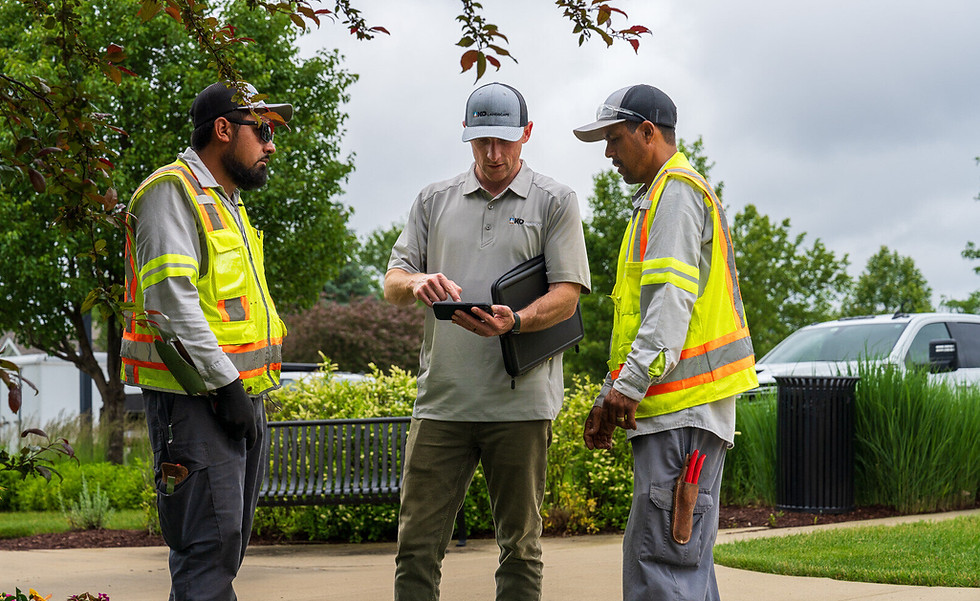
Getting to know the crews and shadowing operations.
Complicated passcodes made logging in complex and often required a manager to help resolve issues.
Training was getting finished, but it added time to a busy day.
Crew members had to memorize or copy a 7-digit ID just to log in, with no recovery option - every forgotten ID became a call to a manager. Once inside, there was no way to see what was done, what was next, or revisit a completed lesson. Crew leads needed a second app and a second login to manage their teams. And with no language flexibility or sense of progress, training read as an obligation, not something crews had any reason to return to.
That gap between outcome and experience reframed the project. The fix wasn't the content - it was everything standing between a crew member and the content.
Three priorities came out of research and became the filter for every decision that followed: lower the barrier to activation so onboarding doesn't depend on a manager, give crews visibility into their own progress so the app becomes something they return to on the job, and tap into the competitive culture that already exists in crew morning meetings.
Research themes
-
Lower the barrier to entry
-
Visibility to progress
-
Create reasons to come back

Solution: Phone Number + OTP Login
No ID to memorize, no manager dependency, no phone call to a manager for a forgotten code. Crew members get into training the same way they text each other.


Solution: Progress Tracking
Course and lesson progress indicators make status unmistakable at a glance, turning the app from a one-time obligation into a tool crews could revisit on the job.
Solution: Gamification and Leaderboards
Points and badges reward completions, and a leaderboard channels the competitive energy already present in crew morning meetings — training becomes part of the game instead of a detour from it.


Solution: Daily Refreshers
Bite-sized safety tips create a teachable moment every workday, keeping safety top of mind without adding another task.
Solution: Unified App with Role Permissions

One login, one home for crew members and leads alike. Checklists, tailgate talks, and reviews unlock based on role, without splitting the experience in two.
Results
Training stopped being something crews had to get through.
One app
A single native app replaced two fragmented webapps, removing the login barrier that started every session with friction.
Visible activity
Accurate, accessible progress tracking gave crews a reason to return outside of training sessions.
Making it fun
Gamification turned safety and skill-building into something crews compete over, not something they avoid.
Simplified login
OTP login means no more password management and easy access to their assigned training.